


Download AC 97 Audio Codec – Free Windows 6‑Channel Sound Solution
Overview
The AC 97 Audio Codec is a robust, AC’97 2.2‑compatible stereo audio driver that brings a full‑featured, six‑channel sound experience to any Windows‑based PC or netbook. While it may not carry the flash of a gaming‑oriented sound card, its engineering focus on signal fidelity, low noise, and flexible routing makes it a solid backbone for multimedia, voice‑over‑IP, and home‑theater setups. Using proprietary converter technology, the codec achieves a signal‑to‑noise ratio that consistently exceeds 90 dB, delivering crystal‑clear playback even at high volumes.
Its built‑in 3D audio engine, variable sampling rates, and support for a range of codec extensions give users the ability to tailor the acoustic environment to everything from classic music listening to immersive movie soundtracks. The driver package includes a complete suite of Windows drivers, a 5‑band equalizer, karaoke mode, and emulations of 26 distinct sound environments, making it a turnkey solution for anyone who wants professional‑grade audio without purchasing additional hardware. Whether you’re assembling a budget‑friendly desktop, upgrading a legacy laptop, or looking for a reliable audio backbone for a small home server, AC 97 Audio Codec offers a blend of stability, feature depth, and cost‑free accessibility that is hard to match in the free‑software space.
Key Features
- Six‑Channel Output: Two independent stereo pairs, a dedicated mono channel, and separate volume controls for each output.
- High Signal‑to‑Noise Ratio: Proprietary converter delivers >90 dB SNR for pristine audio reproduction.
- Variable Sampling Rates: Supports 44.1 kHz, 48 kHz, 96 kHz, and 192 kHz for flexible playback quality.
- Built‑In 3D Audio Engine: Real‑time spatial processing creates immersive surround‑sound experiences.
- SPDIF Output: Digital optical output enables direct connection to TVs, receivers, and other consumer electronics.
- Comprehensive Input Suite: Multiple stereo and mono inputs, mixing, gain, and mute functions for full‑duplex recording.
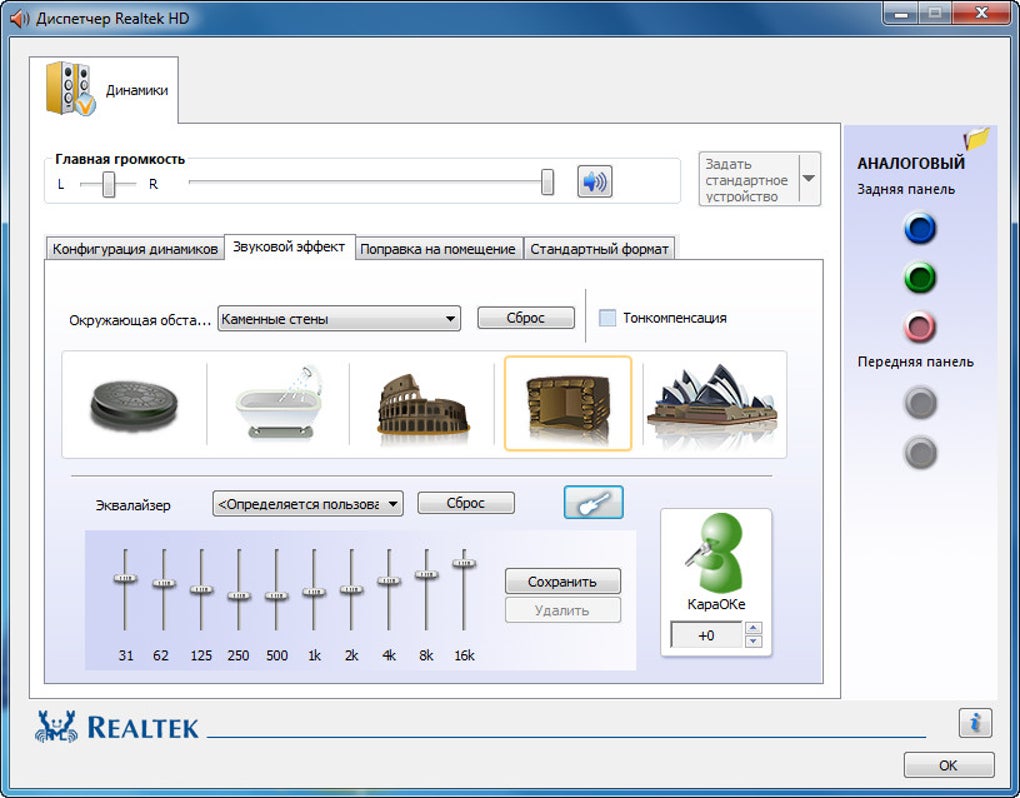
- Audio Effects Pack: Includes karaoke mode, 26 virtual environments, and a 5‑band equalizer.
- Zero‑Cost Licensing: Free download with fully supported Windows drivers and regular security updates.
- Lightweight Footprint: Minimal CPU and RAM usage, ideal for netbooks and low‑power systems.
- Easy Integration: Plug‑and‑play installation with auto‑detect for most AC’97‑compatible motherboards.
Installation, Usage & Compatibility
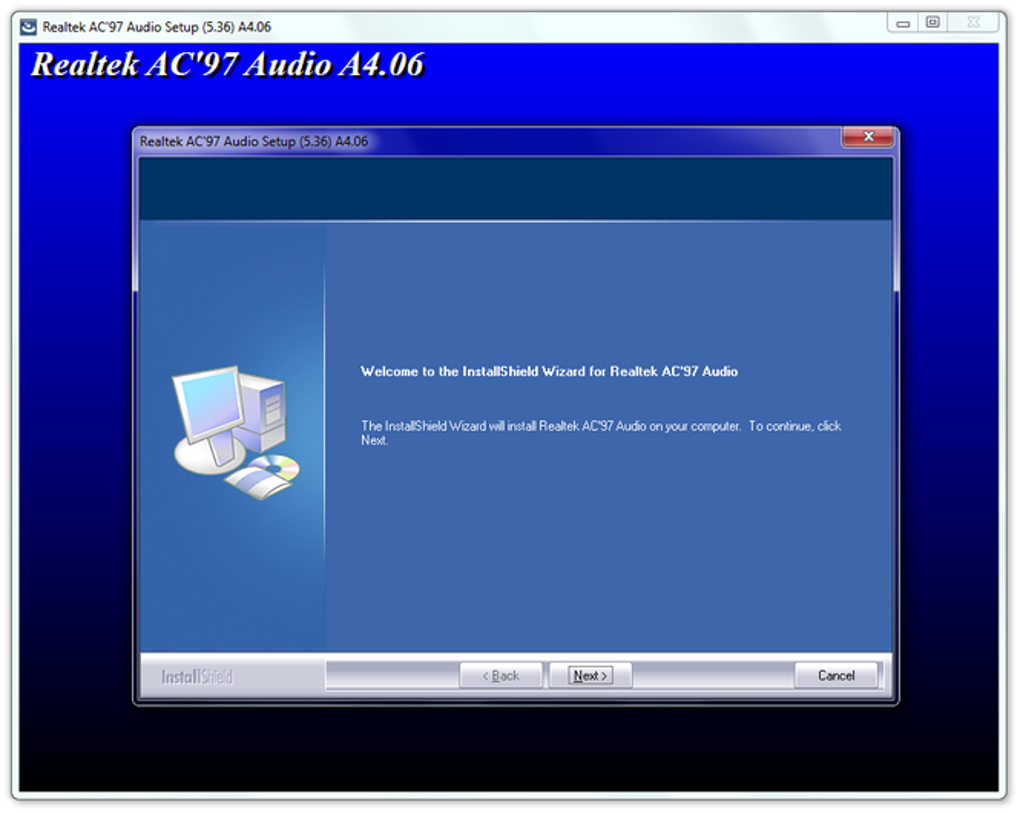
Installing AC 97 Audio Codec is straightforward, even for users with limited technical experience. Begin by downloading the latest installer from the official site. The executable is a compact .exe file (approximately 12 MB) that contains both the driver and the optional sound‑effects package. Run the installer with administrator privileges; the wizard will automatically detect the AC’97 hardware on your motherboard and apply the appropriate driver signature. After a brief reboot, the codec becomes active and can be accessed through the Windows Sound control panel.
Once installed, the codec’s control panel offers a clean interface for configuring outputs, adjusting volume levels, and enabling the built‑in 3D effects. Users can select a preferred sampling rate, toggle the SPDIF digital output, or activate the karaoke mode with a single click. The equalizer lets you fine‑tune frequencies across five bands, while the preset environment menu provides instant ambience for gaming, movies, or music playback.
Compatibility: The driver is officially supported on Windows 7, 8, 8.1, and 10 (both 32‑bit and 64‑bit). Although not explicitly marketed for Windows 11, community testing shows stable operation on the latest OS versions. The codec works with any AC’97‑compliant motherboard or embedded controller, making it a versatile choice for desktop rigs, laptops, and ultra‑compact netbooks. For users running older operating systems such as Windows XP, a legacy version of the driver is available, though it lacks some of the newer 3D audio features.
The low system requirements (under 30 MB of RAM and less than 1 % CPU load during playback) ensure that even modest hardware can deliver high‑quality sound without compromising performance. If you encounter any conflicts with existing audio drivers, the installer provides an option to fully remove previous AC’97 components before proceeding, guaranteeing a clean slate.
Pros, Cons & Frequently Asked Questions
Pros
- Free, no‑cost solution with regular security updates.
- Excellent signal‑to‑noise ratio (>90 dB) for clear audio.
- Six‑channel output with independent volume controls.
- Built‑in 3D audio engine and extensive effect library.
- Low CPU and memory footprint, ideal for older PCs.
Cons
- Lacks native support for Windows 11’s latest audio stack (requires manual tweaks).
- No dedicated hardware acceleration; relies on CPU processing for 3D effects.
- Limited to AC’97 hardware – not compatible with newer HD Audio chips.
- Configuration UI feels dated compared to modern audio suites.
FAQ
Is the AC 97 Audio Codec safe to download?
Yes. The driver is hosted on the official developer website and digitally signed. It is free of malware and receives regular security patches.
Can I use the codec on a modern laptop with an HD Audio chip?
No. The AC 97 driver only works with AC’97‑compatible hardware. For HD Audio chips, use the manufacturer’s native driver or a universal audio solution.
Does the driver support HDMI audio output?
The codec itself does not manage HDMI audio; however, the SPDIF output can be routed through an external HDMI converter if your hardware supports it.
How do I enable the 3D surround effect?
Open the AC 97 control panel, navigate to the “Effects” tab, and toggle the “3D Audio Engine” switch. You can then choose preset environments or customize the spatial parameters.
Is there a way to update the driver automatically?
Yes. The installer includes an optional background service that checks the official site weekly and prompts you when a newer version is available.
AC 97 Audio Codec delivers a surprisingly rich audio experience for a free driver. Its high SNR and versatile routing make it a standout for legacy systems, though its lack of native Windows 11 support keeps power users looking elsewhere. Overall, it’s an excellent choice for budget builds and audio enthusiasts who value stability over flash.
Conclusion & Call to Action
In a market flooded with paid audio suites and complex hardware, the AC 97 Audio Codec offers a refreshing blend of simplicity, performance, and zero cost. Its six‑channel architecture, high signal‑to‑noise ratio, and suite of built‑in effects make it more than just a basic driver—it’s a fully integrated audio platform for PCs that still rely on AC’97 hardware. While it doesn’t cater to the newest Windows 11 audio stack or HD Audio chips, it shines brightly for legacy desktops, netbooks, and low‑power systems where stability and low resource usage are paramount.
If you’re ready to upgrade your PC’s sound without spending a dime, click the download button below, run the installer, and enjoy crystal‑clear playback in minutes. Remember to enable the automatic update service so you stay protected with the latest patches. For any questions, refer to the FAQ section or reach out through the support forum linked on the download page.







